
White-Label AI Visibility Reports: The Ultimate Tool for SEO Agencies & Consultants
Turn AI visibility data into professional, branded PDF reports that impress clients and help you upsell GEO services.
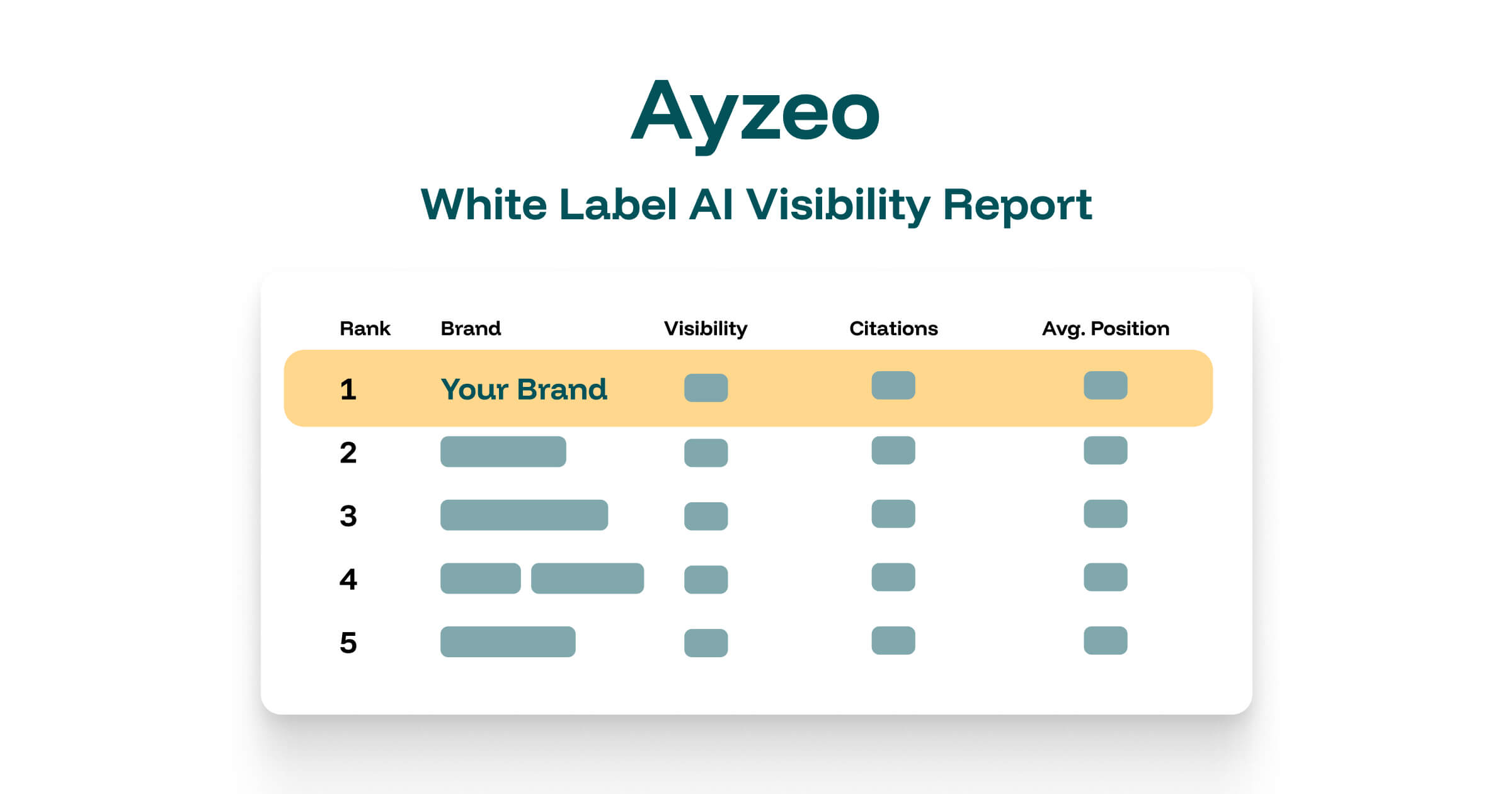
Table of Contents Expand
1. Why AI Visibility Reports Matter Now
The way people discover businesses is fundamentally changing. According to SimilarWeb's 2025 report, AI platforms now generate over 7 billion monthly visits, with referral traffic growing 778% year-over-year.
For agencies, consultants, and marketing teams, this creates an urgent need to:
- Track AI visibility alongside traditional SEO metrics
- Report on new channels that executives and clients don't yet understand
- Demonstrate value in the emerging GEO (Generative Engine Optimization) landscape
- Stay ahead of competitors who are still focused only on Google rankings
The Problem: Your clients and executives ask "How are we doing in ChatGPT?" but you have no professional way to answer. Spreadsheets and screenshots don't cut it when presenting to C-suite or enterprise clients.
This is exactly why we built white-label AI visibility reports — professional, branded PDF documents that transform complex AI visibility data into clear, actionable insights your clients and stakeholders will understand.
2. Who Benefits from White-Label Reporting
SEO Agencies & Digital Marketing Firms
If you're running an agency, white-label reports allow you to:
- Present AI visibility data as part of your monthly client reporting
- Position yourself as a forward-thinking agency offering GEO services
- Add a new revenue stream by monitoring client visibility in AI platforms
- Differentiate from competitors still focused only on traditional SEO
Freelance SEO Consultants
As an independent consultant, professional reporting helps you:
- Look more professional with branded, polished deliverables
- Justify premium pricing with comprehensive analytics
- Save hours spent manually compiling data into presentations
- Stand out in a crowded freelance market
In-House Marketing Managers
When you need to report to leadership, these reports help you:
- Explain AI visibility in terms executives understand
- Show competitive benchmarking against industry rivals
- Justify budget for GEO initiatives with data
- Track progress over time with historical trend data
Enterprise Marketing Teams
For larger organizations managing multiple brands:
- Generate consistent reports across all brand properties
- Share standardized metrics with different stakeholders
- Maintain brand consistency with custom colors and logos
- Scale reporting without scaling headcount
3. What the Reports Include
Each white-label PDF report is a comprehensive, professionally designed document that includes:
Executive Summary
A high-level overview perfect for busy stakeholders who want the key takeaways:
- AI Visibility Score: Overall citation rate across all AI platforms
- Total Citations: Number of times your brand appears in AI responses
- Average Position: How early your brand is mentioned in AI answers (1 = first brand named)
- Industry Rank: Your position among competitors
AI Visibility Performance
Detailed analytics with beautiful visualizations:
- 30-Day Citation Trend: Line chart showing visibility changes over time
- Citation Distribution: Donut chart of cited vs. non-cited prompts
- Performance Metrics Table: Current values vs. target benchmarks
Competitive Landscape Analysis
See exactly where you stand against competitors:
- Industry ranking table with all tracked competitors
- Citation rate comparison across brands
- Average mention position benchmarking — the order in which each brand is mentioned in AI answers
- Competitor brand favicons for easy visual identification
Prompt Performance Analysis
Understand which search queries drive visibility:
- Individual prompt breakdown with citation status
- Brands mentioned alongside each prompt
- Citation counts and mention position data per prompt
- Identification of high-performing and underperforming queries
Technical SEO Score (Optional)
If you've run website analysis, reports also include:
- Latest technical SEO score with interpretation
- Recommendations for improvement
- Impact on AI visibility explained
4. Full Customization Options
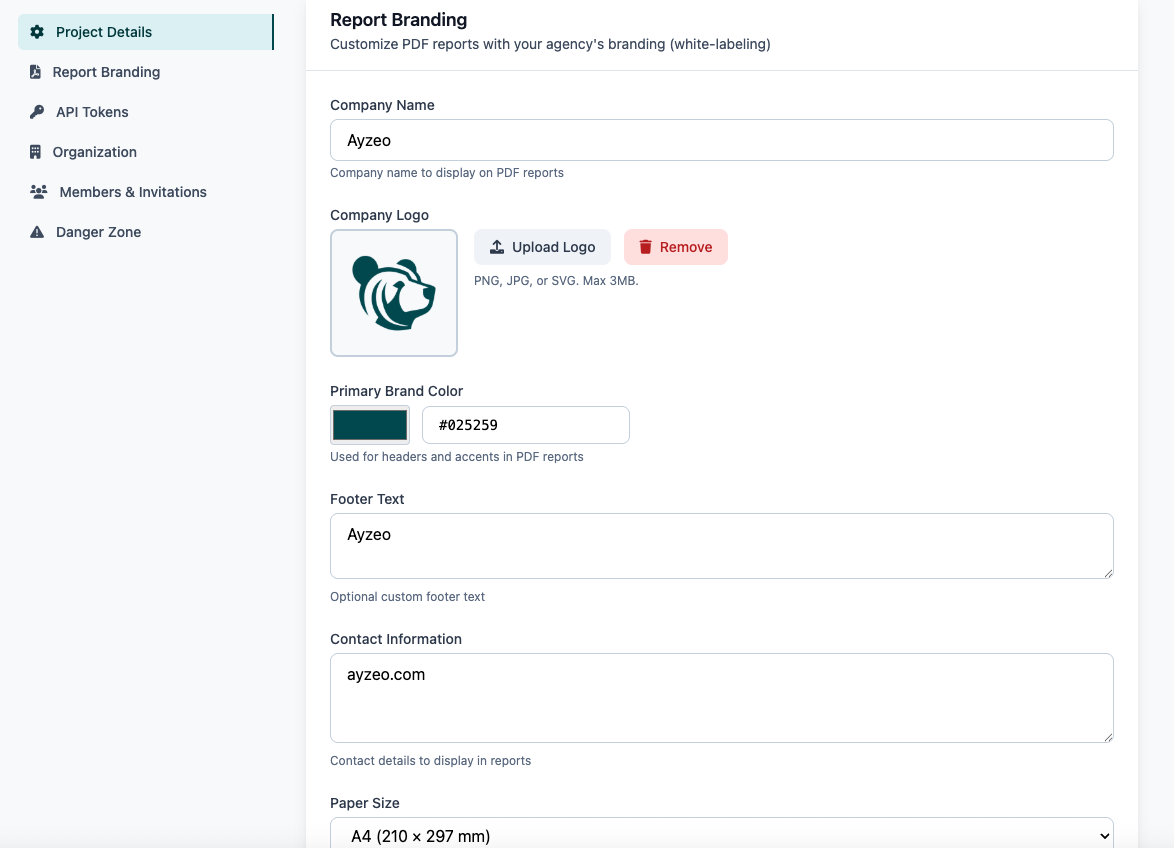
The white-label feature means your reports look like your reports — not ours. Here's what you can customize:
Company Logo
Upload your logo (or your client's logo) to appear prominently on the cover page and running footer. Supports PNG, JPG, and SVG formats.
Company Name
Replace "Ayzeo" branding with your agency name or client's brand. This appears on the cover page and throughout the document.
Primary Color
Match your brand colors with a custom primary color that styles:
- Headers and section dividers
- Chart colors and data visualizations
- Accent elements and highlights
- Table highlighting and badges
Custom Footer Text
Add your tagline, confidentiality notice, or custom message that appears on every page footer.
Contact Information
Include your contact details (email, phone, website) in the footer for professional presentation.
Paper Size
Choose between A4 (European standard) or Letter (US standard) paper sizes for your PDFs.
5. Agency & Freelancer Use Cases
Monthly Client Reporting
Replace ad-hoc screenshots with professional monthly reports:
- Track AI visibility for each client project
- Generate branded PDF reports at month-end
- Include in your regular reporting package
- Show progress and identify optimization opportunities
Pro Tip: Add AI Visibility as a line item in your monthly retainer. The professional reports justify the additional cost while providing real value to clients.
New Client Pitches
Win new business by showing prospects their AI visibility gaps:
- Analyze prospect's website and add key search prompts
- Generate a baseline report showing their current visibility
- Use the competitive data to show what competitors are doing
- Present improvement opportunities as part of your proposal
Competitive Analysis Deliverables
Create standalone competitive analysis reports:
- Track a client's brand against their top 10-20 competitors
- Show industry benchmark data in a polished format
- Identify competitor strengths and weaknesses in AI visibility
- Present actionable insights for gaining competitive advantage
Quarterly Business Reviews (QBRs)
Enhance your quarterly reviews with trend analysis:
- Show 90-day visibility trends
- Highlight improvements from your optimization work
- Set goals for the next quarter
- Justify continued investment in GEO services
6. Reporting to Management & Stakeholders
If you're an in-house marketer, you know the challenge of explaining new channels to leadership. AI visibility is especially tricky because:
- Executives may not use ChatGPT or Claude themselves
- Traditional analytics don't capture AI referrals well
- It's hard to quantify "being mentioned by AI"
- Budget requests for GEO often get deprioritized
How White-Label Reports Help
1. Executive-Friendly Format
The executive summary page gives leadership exactly what they need: key numbers, trend direction, and competitive context — all on one page.
2. Competitive Benchmarking
Nothing gets executive attention like showing competitors outperforming you. The industry ranking table makes this immediately clear.
3. Trend Visualization
Charts show progress over time, making it easy to demonstrate the impact of your GEO initiatives.
4. Professional Presentation
A polished PDF carries more weight than a slide deck or spreadsheet. It signals that this is a serious business metric worth tracking.
Budget Justification Tip: Use the competitive ranking data to show that competitors who rank higher are likely capturing AI-referred traffic you're missing. Quantify the opportunity cost.
7. How to Upsell GEO Services with Reports
For agencies and consultants, white-label reports aren't just about reporting — they're a powerful sales tool for upselling GEO (Generative Engine Optimization) services.
Step 1: Establish the Baseline
Generate an initial report for your client showing their current AI visibility. This creates awareness of a metric they probably weren't tracking.
Step 2: Show the Gap
Use the competitive analysis to show how competitors are performing. If a competitor has 3x the visibility, that's a compelling reason to invest.
Step 3: Propose GEO Services
Present a GEO optimization package that includes:
- Website analysis and structured data optimization
- Content optimization for AI-friendly formatting
- LLMs.txt file creation and maintenance
- Ongoing prompt monitoring and reporting
Step 4: Track & Report Progress
Use monthly reports to show the impact of your work:
- Visibility score improvements
- New citations appearing in AI responses
- Industry ranking improvements
- Competitive gap closing
Sample Upsell Pricing
Many agencies are successfully adding GEO packages:
- Basic GEO Monitoring: $200-500/month (reporting + recommendations)
- GEO Optimization: $1,000-2,500/month (active optimization work)
- Full GEO Management: $3,000-5,000+/month (comprehensive program)
At these rates, the Pro plan at $149/month with white-label reports pays for itself with a single client upsell.
8. Getting Started with White-Label Reports
Step 1: Upgrade to Pro
White-label PDF reports are included in the Pro plan ($149/month or $1,430/year). This includes:
- 3 projects included (add more at $49/month each)
- 40 AI prompts per project for monitoring (expandable in +10 increments with Prompt Packs, $15/month per pack)
- 15 AI visibility simulations per day
- Full white-label customization
Step 2: Configure Your Branding
- Navigate to your project settings
- Find the "Report Branding" section
- Upload your logo and set your company name
- Choose your brand color
- Add footer text and contact information
Step 3: Set Up Prompt Monitoring
Before generating reports, you need visibility data:
- Add prompts relevant to your client's industry
- Run AI visibility simulations to collect data
- Allow a few days for trend data to accumulate
Step 4: Generate Your First Report
- Go to AI Visibility Analytics for your project
- Click the "Download Report" button
- Your branded PDF is generated instantly
- Share with clients or stakeholders
9. Pricing & Plans
White-label PDF reports are available on the Pro and Enterprise plans:
Pro Plan — $149/month
- 3 projects included
- 40 AI prompts per project (expandable with Prompt Packs)
- Unlimited team members per project
- White-label PDF reports
- 15 AI visibility simulations/day
- Slack support channel
- Priority support
Yearly: $1,430/year (save 20%)
White-Label Dashboard — $299/month add-on (Pro)
The new middle option: PDF report white-labeling stays included in Pro, and Pro subscribers can now brand the dashboard itself with the White-Label Dashboard add-on ($299/month or $2,870/year, applies to the whole subscription):
- Your logo replaces the Ayzeo logo in the dashboard sidebar
- Your accent color themes the dashboard UI
- Combined with unlimited seats on every paid plan: a branded client portal that looks like your product
- Booked self-serve on the subscription Add-ons page
Included with Enterprise at no extra cost
Enterprise Plan — Custom Pricing
- 300+ projects
- Unlimited team members
- White-label PDF reports
- Full API access
- Dedicated account manager
- Custom integrations
- SLA & priority support
Contact sales for custom pricing
10. Frequently Asked Questions
- Q: Can I completely remove Ayzeo branding from reports?
- A: Yes! With white-label reports on the Pro plan, you can replace our branding entirely with your own logo, company name, colors, and contact information. The reports will look like they were created by your agency.
- Q: Can I white-label the dashboard, not just the PDF reports?
- A: Yes. The White-Label Dashboard add-on ($299/month on the Pro plan) replaces the Ayzeo logo in the dashboard sidebar with yours and themes the UI in your accent color — a branded portal for the clients you invite. PDF report white-labeling stays included in Pro; the add-on covers the dashboard UI. It's included with Enterprise and booked self-serve on the subscription Add-ons page.
- Q: How many reports can I generate per month?
- A: There's no limit on report generation. You can download as many PDF reports as you need for your clients or stakeholders.
- Q: Can I customize reports per client?
- A: Yes! Each project has its own branding settings, so you can customize reports with different logos and colors for different clients.
- Q: What file format are the reports?
- A: Reports are generated as PDF files, optimized for both digital sharing and printing. You can choose between A4 and Letter paper sizes.
- Q: Do reports include historical data?
- A: Yes, reports include 30-day trend charts showing how visibility has changed over time. The more data you collect, the more comprehensive your historical view becomes.
- Q: Can I schedule automatic report generation?
- A: Currently, reports are generated on-demand. Scheduled/automated reports are on our roadmap for future releases.
- Q: Is there an API for generating reports?
- A: Enterprise customers have access to our API which includes report generation endpoints. Contact sales for details.
- Q: What if I'm on the Starter plan?
- A: The Starter plan ($39/month) includes all AI visibility analytics, but PDF reports show Ayzeo branding. Upgrade to Pro for white-label customization.
Conclusion: Professional Reports for the AI Era
As AI transforms how people discover businesses, the ability to track and report on AI visibility is becoming essential for agencies, consultants, and marketing teams.
White-label reports let you:
- Look professional with polished, branded deliverables
- Win clients by showing prospects their AI visibility gaps
- Upsell services with data that proves the value of GEO
- Report to management in a format executives understand
- Differentiate yourself from competitors still focused only on traditional SEO
The agencies and consultants winning in 2025 are those adding GEO to their service offerings. White-label reports give you the professional tools to do exactly that.
Ready to productize the whole service? The 2026 white-label platform guide for agencies covers the branded client dashboard add-on, per-client project structure, prompt packs, and the margin math for a 10-client roster.
Get Started with Pro Learn About AI Visibility